Introducing SpatialFlow: The Zapier of Geospatial Events

Location events are easy to understand but surprisingly hard to operationalize.
A truck enters a delivery zone. A field worker arrives at a job site. A device leaves an authorized area. In most systems, those events either disappear into a location feed or require custom infrastructure to turn into something useful.
SpatialFlow is built to close that gap.
What SpatialFlow Does
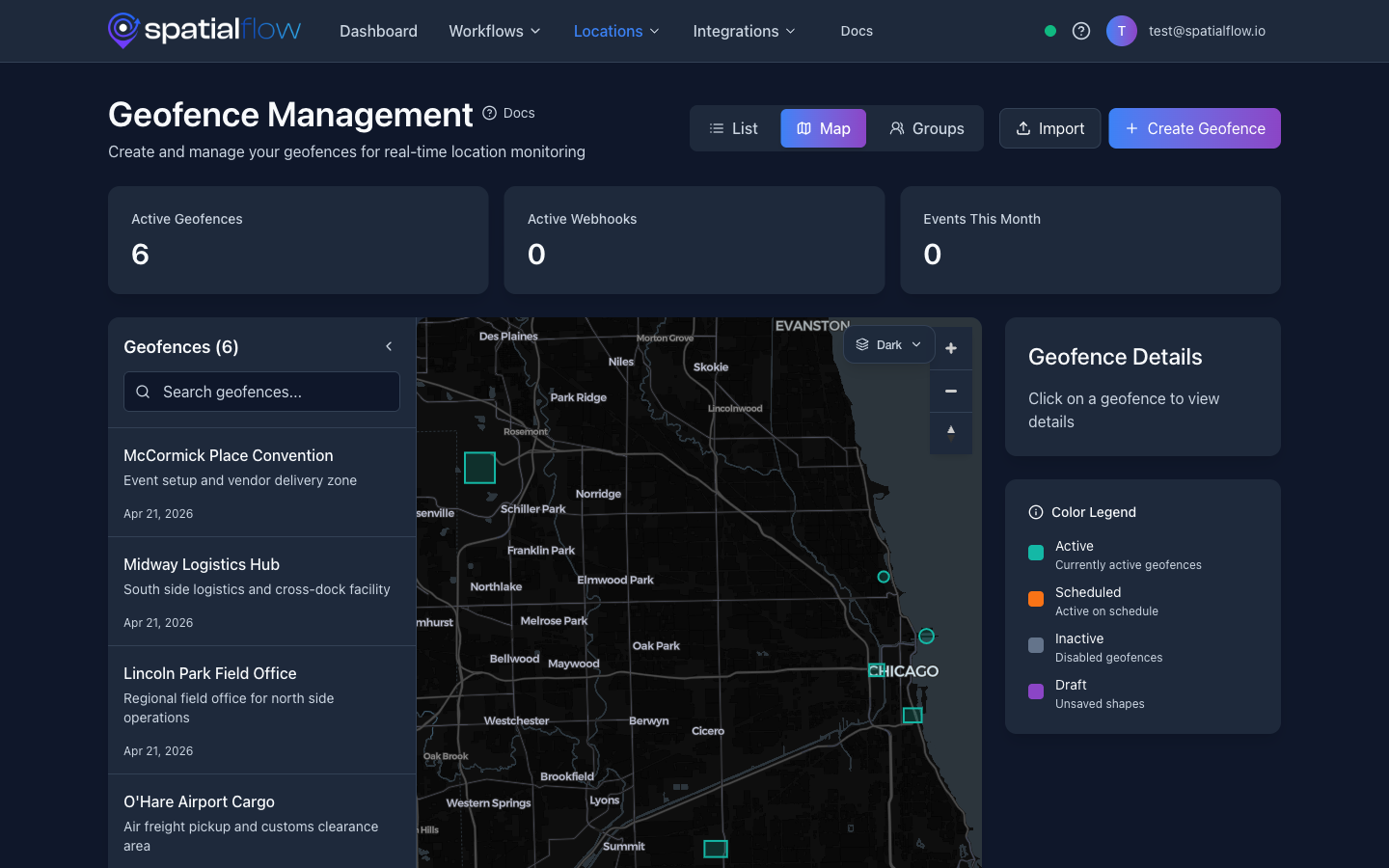
SpatialFlow turns real-world movement into automated workflows. Draw a geofence, connect a device, and trigger actions when that device enters, exits, or dwells inside an area. Send a webhook, notify a team, update a system, or log an event without building geospatial event infrastructure yourself.
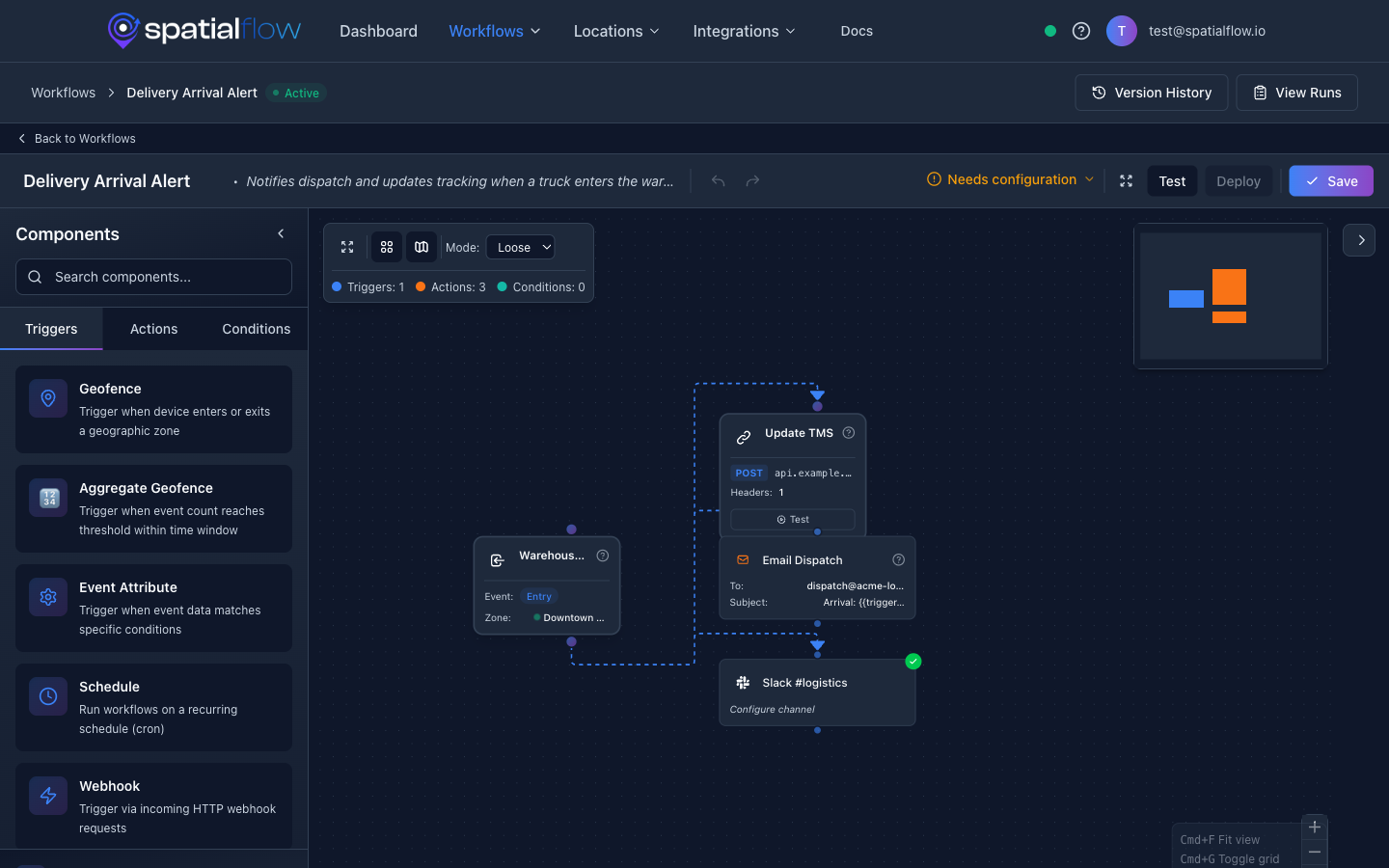
Here is a concrete example: a field technician drives to a job site. When their phone enters the job-site geofence, SpatialFlow fires a workflow that sends a webhook to your dispatch system, posts an arrival notification to Slack, and logs the timestamp for compliance. No manual check-in. No custom code.
That is the idea behind "the Zapier of geospatial events." You define the boundaries. You define the actions. SpatialFlow connects them.
Launch note: SpatialFlow is focused on geofence-triggered workflows today: webhooks, operational alerts, event history, device tracking, and developer APIs. The Zapier comparison is about the workflow model, not a claim that every SaaS connector already exists.
Core Capabilities
Real-time geofencing. Draw geofences on a map and receive instant notifications the moment a device enters, exits, or dwells within a defined area. Geofence checks use PostGIS spatial queries for reliable, scalable event processing.
Workflow automation. Build workflows visually that trigger on geofence events. Chain together conditions, delays, and actions: send a webhook, dispatch an email, update a record. No custom code required.
Device tracking. Track device locations across your workspace in real time. The dashboard gives operations teams a live view of where everyone is, and the mobile app keeps field workers connected.
Webhook integrations. Connect SpatialFlow to any system that accepts HTTP. When a geofence event fires, SpatialFlow delivers a structured payload to your endpoint with retries, signed delivery headers, and delivery logs so developers can debug what happened.
API and developer tooling. A full REST API with beta SDKs for Python, Node.js, and Go. Web dashboard, iOS app, and Android app for teams in the field.
Example: Vehicle Enters a Delivery Zone
- Draw a geofence around your warehouse or delivery area.
- Connect a device: a mobile phone, GPS tracker, or fleet vehicle.
- Create a workflow that listens for
geofence_enterevents. - Trigger actions: send a webhook to your dispatch system, fire a Slack notification, or log the event.
- Review delivery logs to confirm the event was processed and the webhook was delivered.
The entire setup takes minutes, not sprints. The Quick Start Guide walks through it step by step.
For developers, the webhook payload is intentionally predictable:
{
  "event": "geofence_enter",
  "deviceId": "device_8H4k2",
  "geofenceId": "geo_delivery_zone",
  "occurredAt": "2026-04-21T16:22:10Z",
  "location": {
    "latitude": 47.6101,
    "longitude": -122.2015
  }
}
Each delivery includes retry metadata and request headers so receiving systems can validate, replay, and audit event traffic.
Who SpatialFlow Is For
Developers who need geofence-triggered webhooks without building location infrastructure from scratch.
Ops teams that need alerts when vehicles, workers, or assets enter or exit important areas.
Product teams building location-aware apps that need event history, delivery logs, and workflow automation baked in.
How It Is Built
SpatialFlow is built to handle bursts of location updates. Geofence events are processed asynchronously, dashboards update over WebSockets in real time, and webhook deliveries include retries and logs so developers can debug exactly what happened and when.
The platform runs on AWS with auto-scaling, so it handles spikes in location data without manual configuration.
The mobile apps are designed for field conditions: background location updates, offline tolerance, and clear device status for administrators. The API and SDKs give product teams the same primitives the dashboard uses, so they can embed geospatial automation directly into their own workflows.
Why We Built It
Every location-aware product eventually needs the same infrastructure: geofences, event detection, workflow triggers, webhook delivery, device management, audit trails. Teams rebuild this stack over and over, or cobble together scripts and cron jobs that break under load.
We built SpatialFlow so teams can skip that work and go straight to the automation that matters to their business.
Get Started
Start building: Create your first geofence-triggered workflow in the Quick Start Guide. It takes about five minutes.
Try the product: Sign up for a free SpatialFlow account and start automating location events today.
Explore the API: Browse the full API Reference for endpoint details and request examples.
We have more engineering posts coming soon: deep dives into spatial queries, workflow design, and webhook delivery patterns. If you have questions or feedback, reach out at support@spatialflow.io.