Shift-Based Tracking for Your Field Workforce
Field work is hard to see from the office. A crew leaves in the morning, and the next signal you get is a phone call, a paper timesheet, or a customer asking where the technician is.
The data to close that gap is already in your workers' pockets. SpatialFlow turns the phone a field worker already carries into shift-based location tracking, so arrivals, time on site, and safety-zone events become automatic, without new hardware or a tracking stack to build.
The device your crew already carries
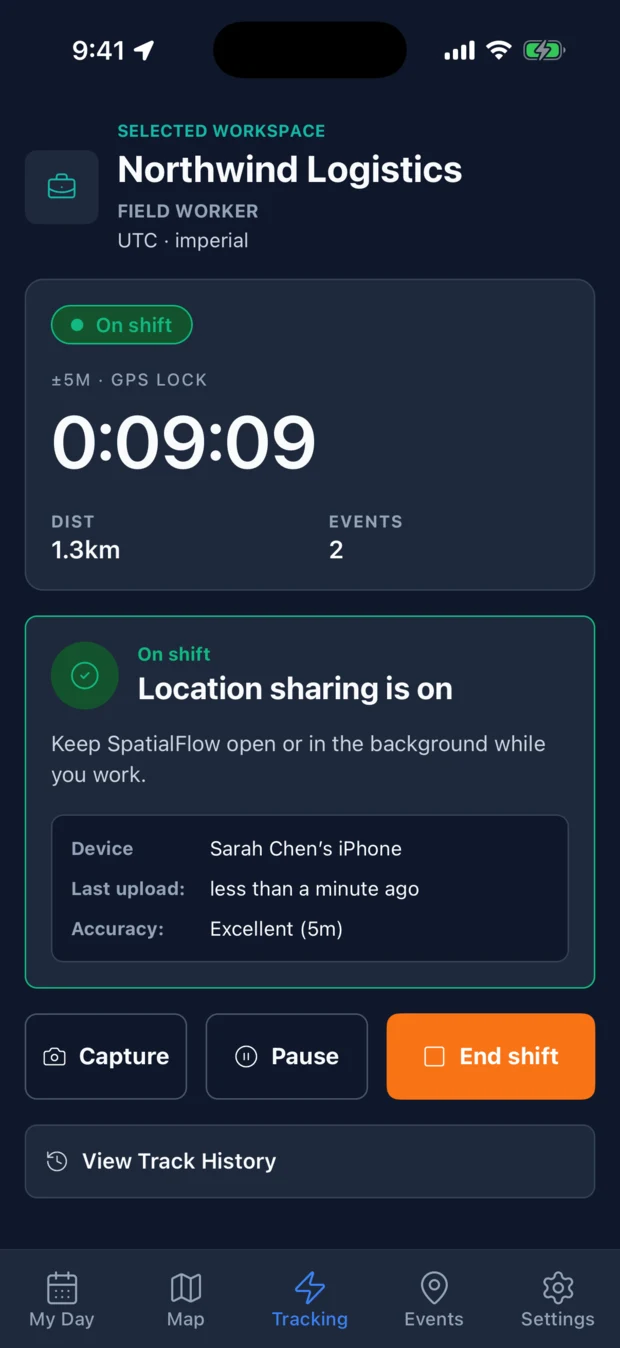
Most field-tracking projects stall on the same thing: hardware. Trackers to buy, install, charge, and replace. SpatialFlow skips that. The iOS and Android apps turn a worker's own phone into the location source.
A worker opens the app and starts a shift. From that moment, SpatialFlow tracks in the background (the app does not need to stay open) and keeps going through the workday. When the shift ends, tracking stops.
That last part matters. Tracking is tied to the shift, on purpose: location flows while someone is on the clock and stops when they are not, so you are not collecting your workers' movements on personal time. It is the difference between visibility into the workday and surveillance of a person.
What every shift tells you, automatically
Once a worker is on shift, the work that used to require a phone call or a checkbox just happens.
GPS-verified arrivals and check-ins. Draw a geofence around each job site. When a worker's phone crosses into it, SpatialFlow fires a geofence_enter event: a GPS-confirmed arrival, timestamped, with no "I'm here" text to send or forget.
Time on site. The gap between geofence_enter and geofence_exit is the service duration at that stop. A geofence_dwell event can fire when a worker has been on site longer than you expect: a job running long, or a truck parked where it should be moving.
Safety-zone awareness. Geofences are not only job sites. Draw them around restricted areas, hazard zones, or client property boundaries and get an event the moment someone enters or leaves.
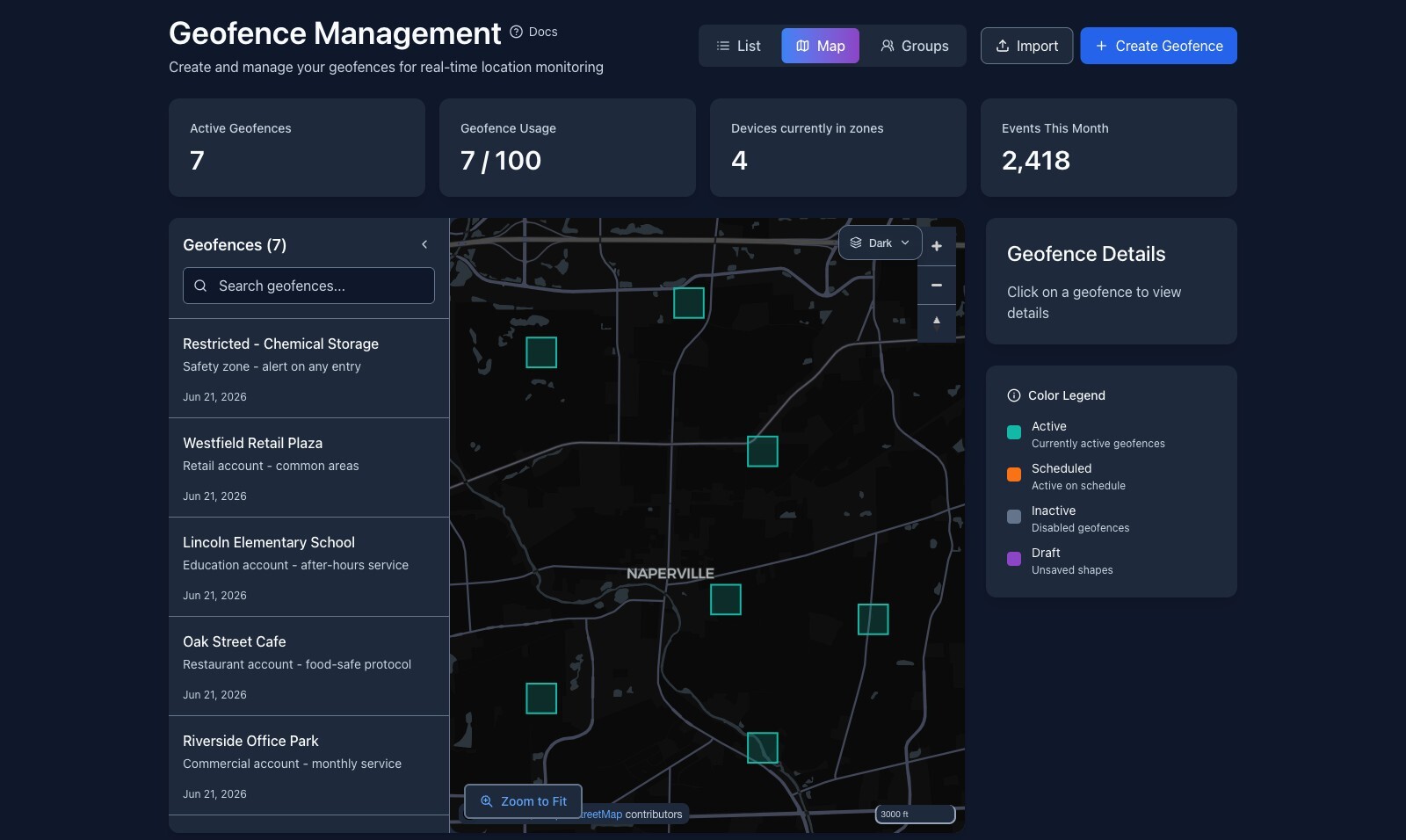
Managers see all of it live: your dashboard updates over WebSockets, so where the crew is and what just happened shows up without a refresh.
Automate the busywork around the work
Detecting an event is half of it. The point is what happens next, and that is where workflows come in.
A workflow listens for a geofence event and runs an action: send a webhook to your field-service or scheduling system, post to Slack, or email the right person. When a technician arrives, your dispatch board updates and the customer's "on the way" notification goes out, with nobody typing it.
Workflows also know when not to act. A condition sits in the middle of the flow and decides whether the action runs at all, so you can gate on things like dwell time or time of day. "Alert me when a crew is on site past 90 minutes, but only during business hours" is one workflow, not a person watching a map.
X-SF-Signature) with automatic retries and a full delivery log.Why this works
Every field-operations team eventually needs the same plumbing: shift tracking, arrival detection, dwell logic, safety alerts, and a reliable way to push all of it into the systems they already run. Most teams build a fragile version of it themselves, or buy hardware they then have to manage.
SpatialFlow is that layer, ready to go. You draw the zones, define what should happen, and put the app in your workers' hands. The same primitives the dashboard uses are available through a REST API, with beta SDKs for Python, Node.js, and Go, so the events can flow straight into whatever runs your business.
Get started
- Running a field team? Install the iOS and Android apps, draw a geofence around a job site, and have a worker start a shift.
- Want to try it first? Start a free workspace and set up your first arrival alert.
- Building as a developer? The Quick Start wires up a
geofence_enterworkflow in about five minutes, and the API Reference has the rest.
Questions or want to shape where this goes? Reach us at support@spatialflow.io.